
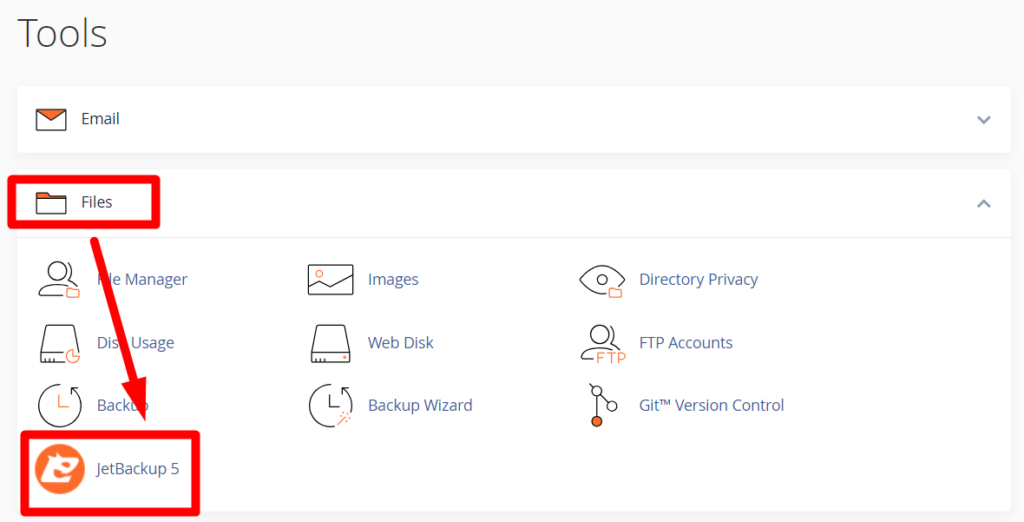
Once logged in to cPanel, select the ‘Files’ dropdown and select JetBackup
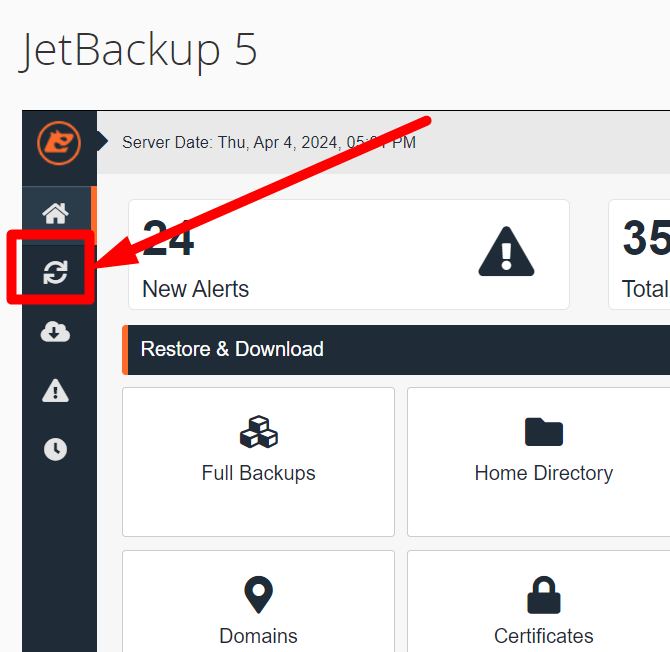
Inside the JetBackup, click on the ‘Restore & Download’ sidebar icon
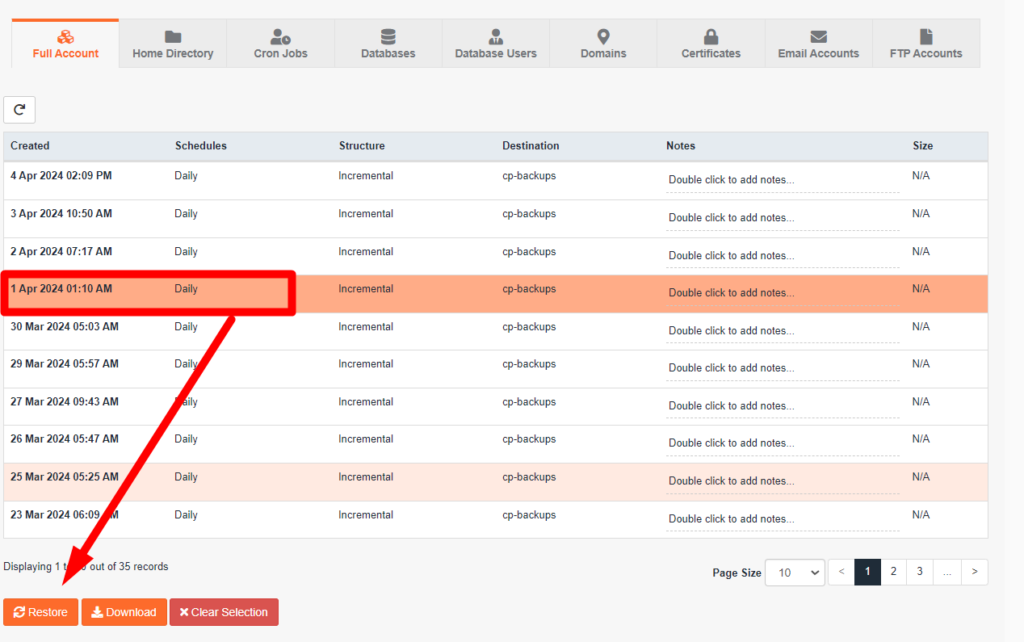
Select the date that you want your website to be restored to and click on Restore
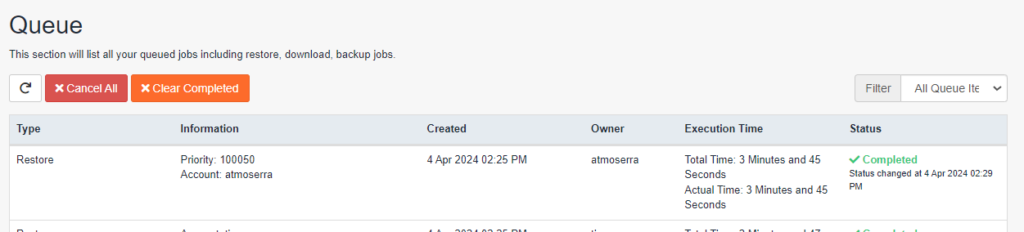
It will redirect you to the ‘Queue’ page. Wait for it to finish restoring
Check the website once done.


