
OPTION 1:
- GO TO THE GOOGLE DRIVE FOLDER FOR THE GMB POST CONTENT AND DOWNLOAD ALL 36 IMAGES FROM THAT CLIENTS SEO FOLDER.

OPTION 2:
- Login to the Canva Premium account (support@partopia.ca account) and try to find the gmb posts that were scheduled for this client by yourself.
- Go to projects and search for the images that are used for the GMB posts and click on enter.


- Choose from the image sets.Make sure the details included in the image are correct, in this case the telephone number. Always double check for accuracy.
NOTE: If you do not find any projects with this client name, it means that gmb posts were not scheduled, most likely. Please confirm with a manager before skipping to the final step, which is to make your own posts.

- Click Share and then download.
- Choose the lowest size available, AND ALSO “COMPRESS FILE (LOWER QUALITY)”, because there is a limit to the image size that can be posted on YACSS and then download


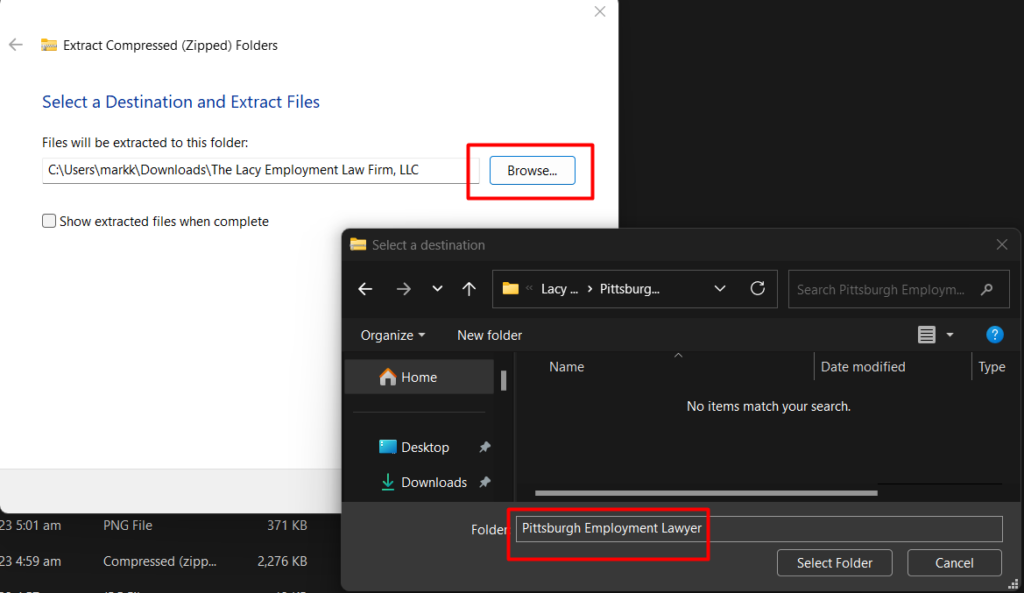
- Extract to the same folder with the other files. Save as “ClientName_StackPhotos_MonthYear”
7. If there are no GMB posts created for the client yet, you can generate at least 30 stock photos in Canva related to the main keyword. Follow the same process after.


